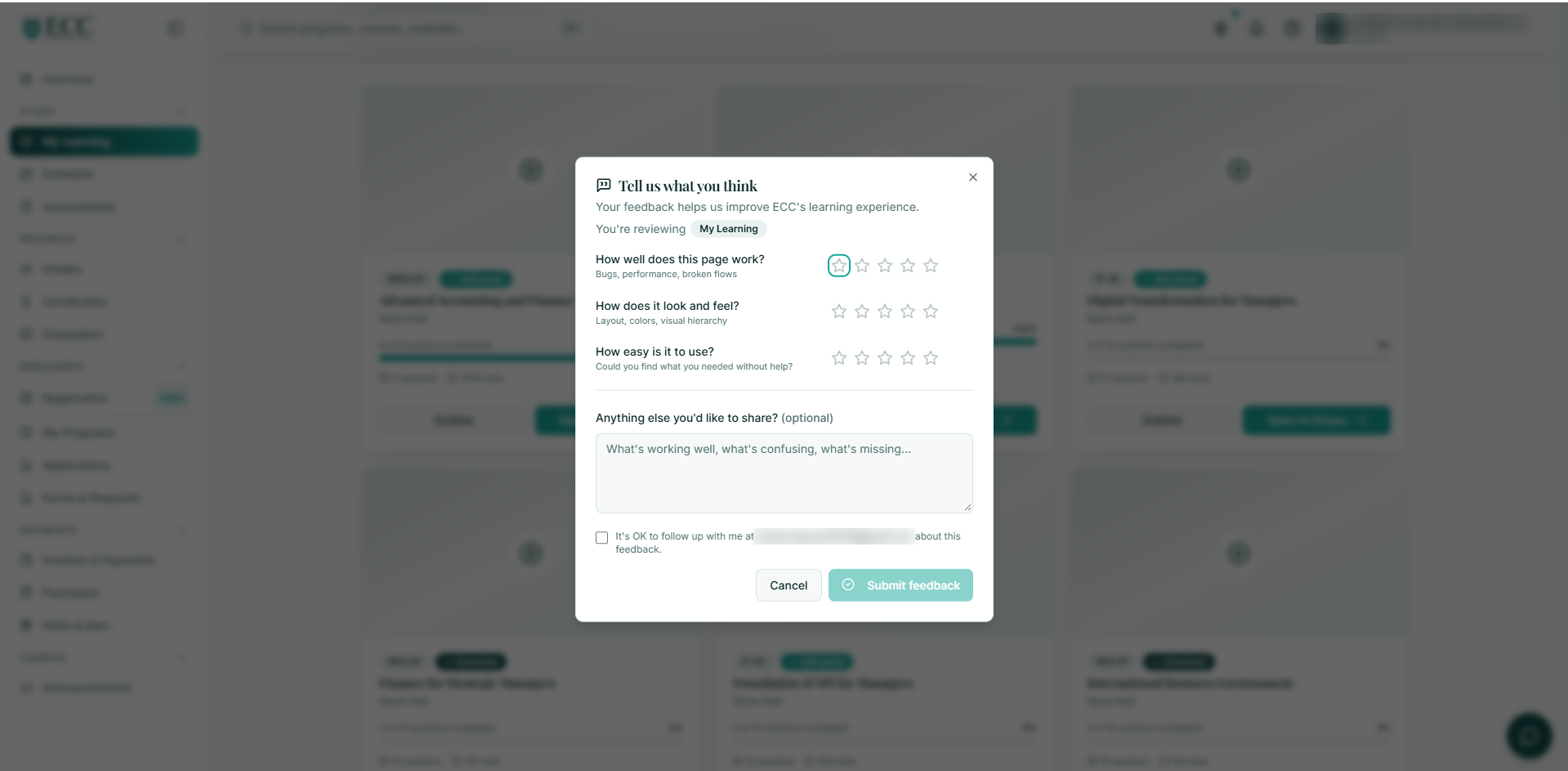
How to give feedback on the New Portal?
How to explore and share your feedback:
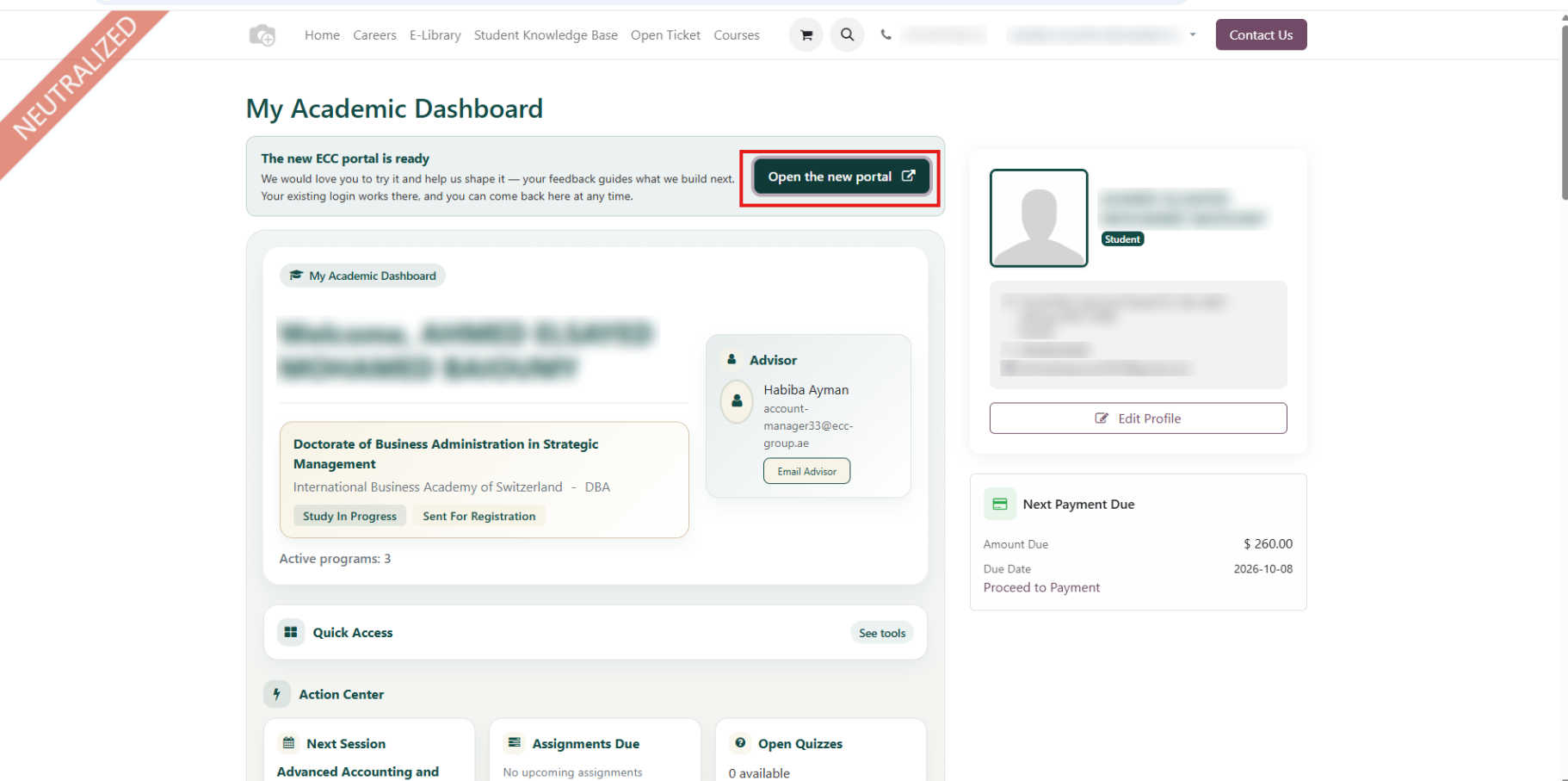
1. Log in to your current Student Portal.
2. Go to your profile and click “Open the New Portal.”
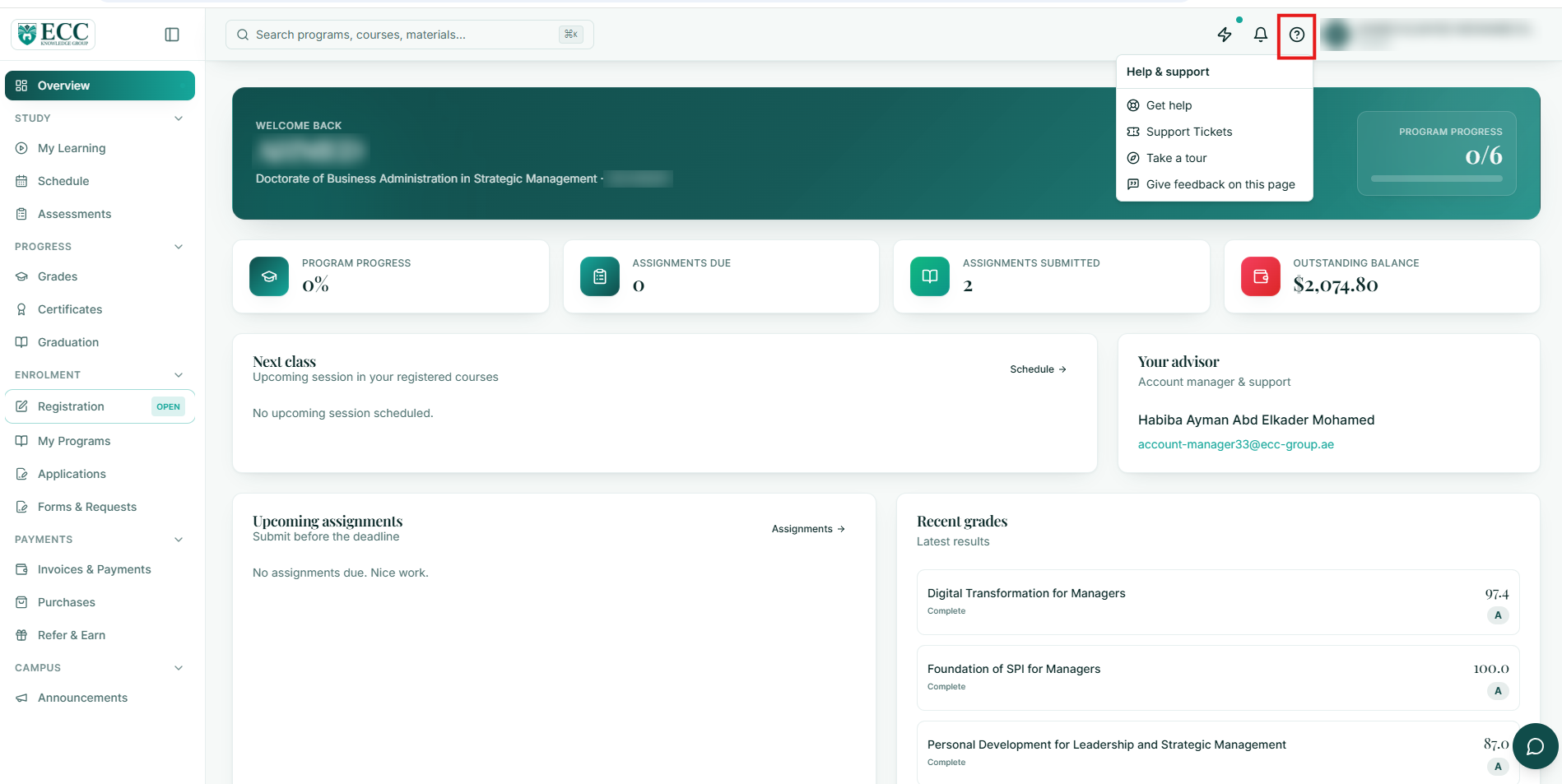
3. Go to the question mark, the question mark icon at the top of the page.
Once you enter the new portal, click the question mark icon at the top of the page.
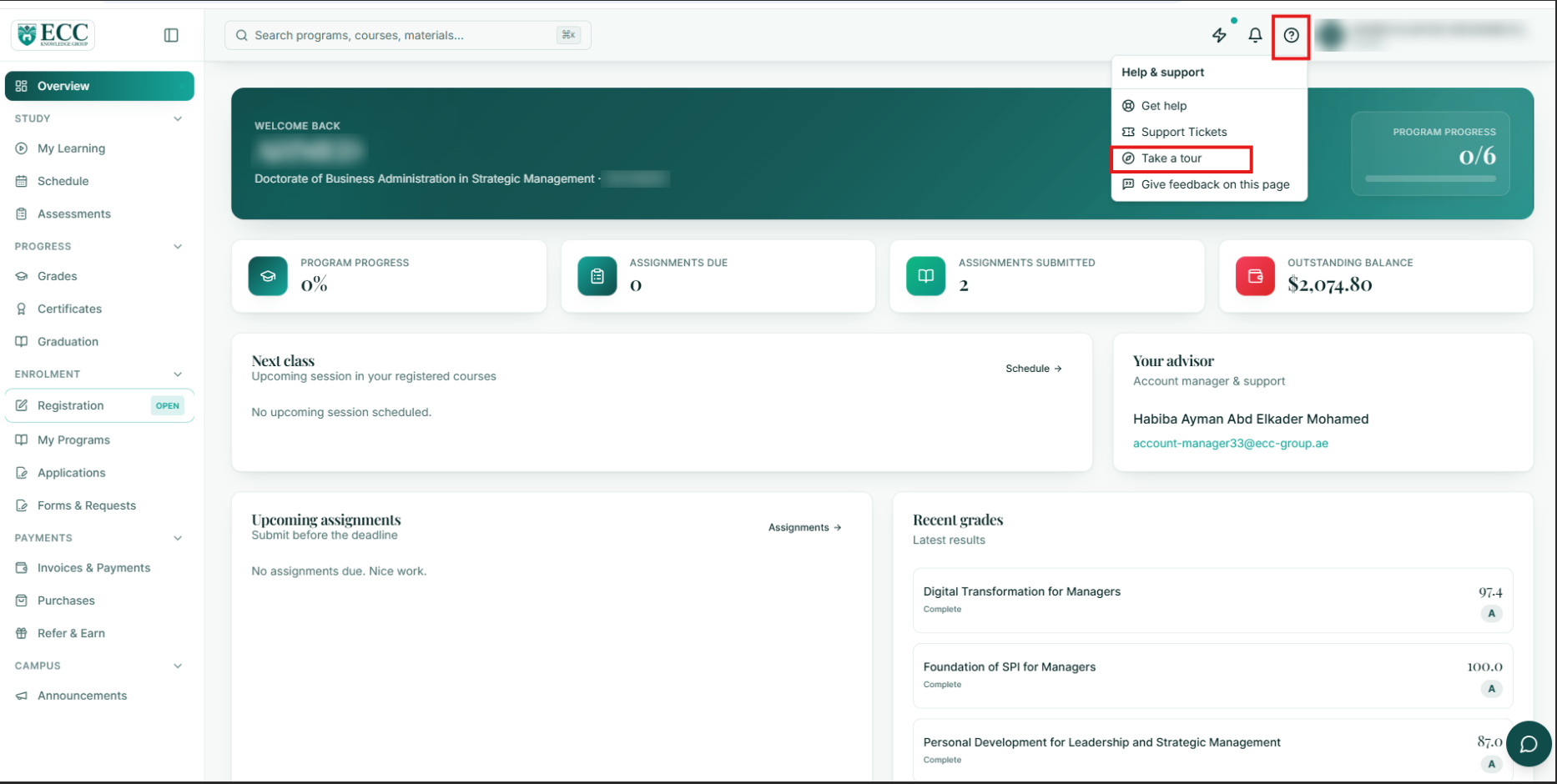
4. Take a Tour
Select “Take a Tour” to get a quick introduction to the main features and sections.
5. Review & discover the pages.
After completing the tour, take some time to explore the different pages and features.
6. Give feedback on every page.
Open the page, press the question mark icon, and then use “Give Feedback on This Page” to share your thoughts.
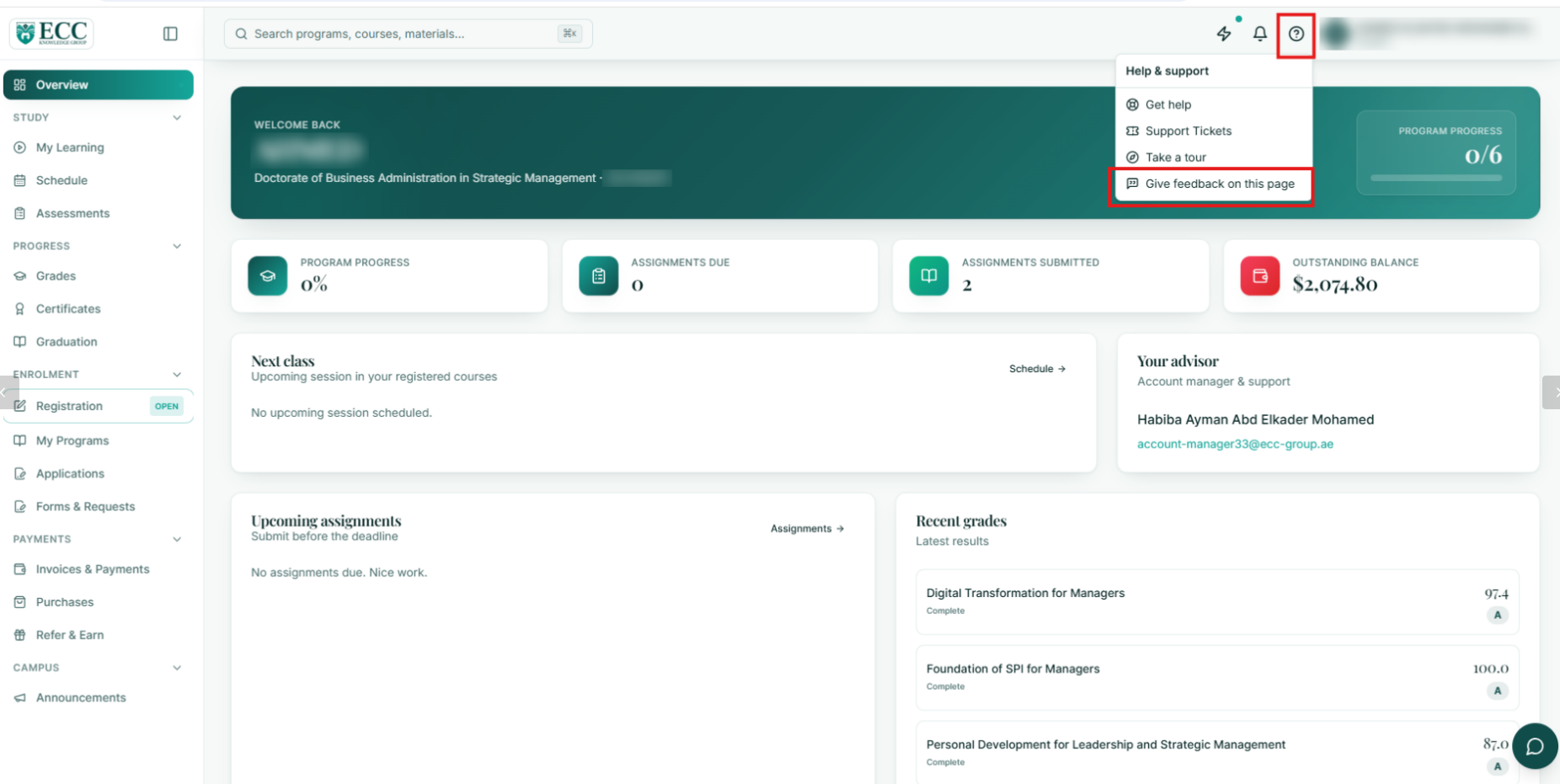
Tell us what you like, what you find unclear, what could be improved, and any features you would like to see.